
功能
游玩。创作。分享。
以全新的方式指挥部落、创建自己的世界,并重温重要的战斗。
Windows · v1.11G · World Studio 40 / 0.40.0
v1.11G:更鲜活的世界,更安全的创作
雨带和风暴锋面在地图上移动,大地图可同时存在干燥和潮湿区域。天气随游戏暂停,存档和检查点保留其时间。雨声和雷声随当前镜头变化。
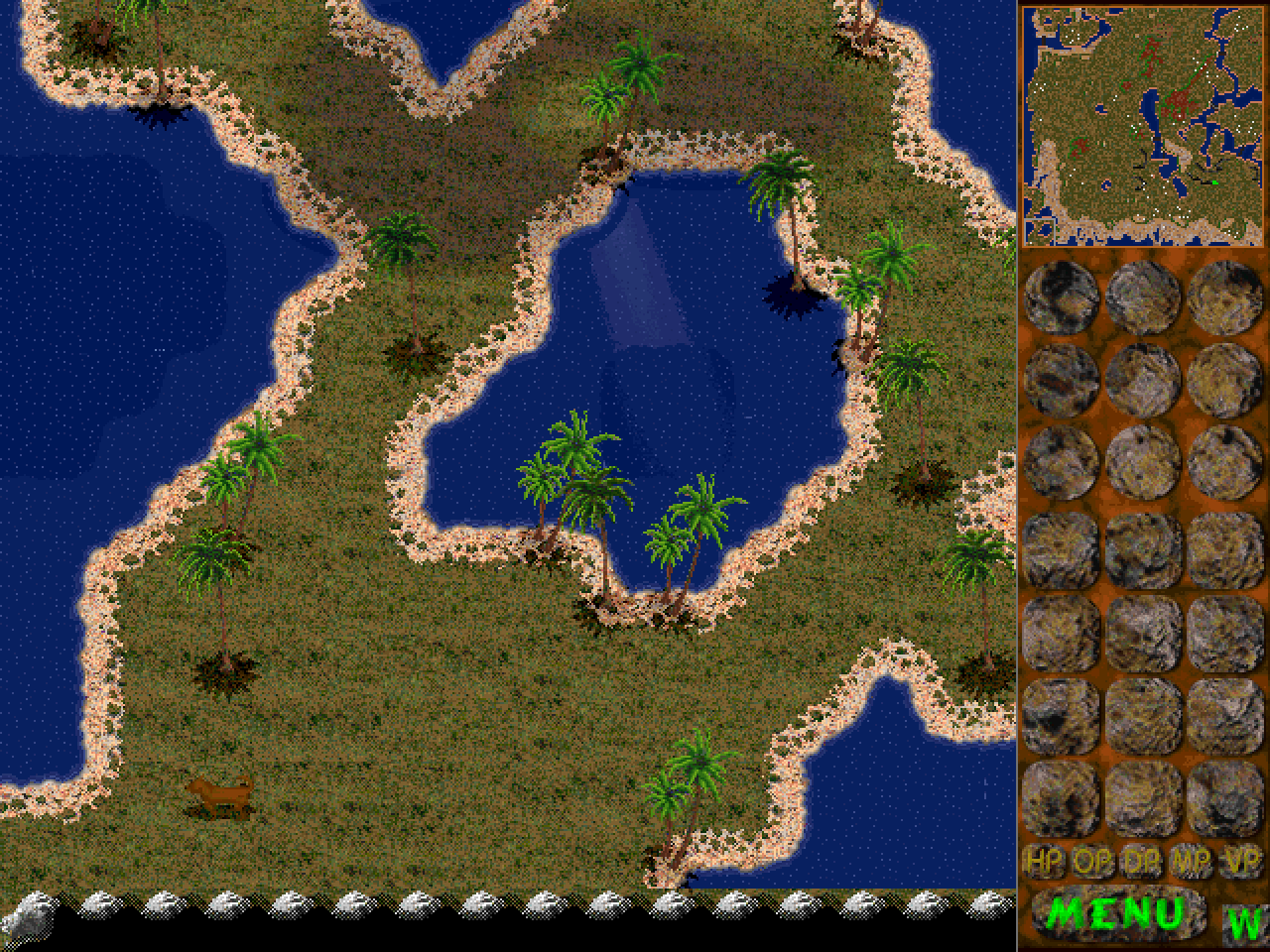
Options → Advanced → Details 提供海浪、芦苇、草地波动、小虫/萤火虫、雨水坑、沙尘阵风和动物待机动作。每项均可选择,默认关闭,保留原版像素风格和游戏规则。
修复地面占用崩溃、任务计时、暂停/全屏和重新绑定的菜单键。现代小地图和时钟在菜单中保持可见。改进 Advanced 和帮助图片查看;Hard 难度正确显示红眼骷髅。
详细版本信息以英语提供。
Play your way
Original campaigns, local battles and connected play retain the original tribes and rules.
- Play all eight tribes and their twelve original campaign missions. Offline Skirmish, Classic two-player TCP/IP, two-to-eight-player matches and two-player campaign co-op remain available.
- Create standalone custom maps for Skirmish, Classic and eight-player multiplayer. Hosts and guests verify matching map and asset-pack content before play.
- Custom campaigns support one to 32 ordered missions, solo or shared two-player co-op, briefings, progression and original objective families: elimination, survival, food, construction, tribe defeat, items, capture and wildlife hunts.
- Paged multiplayer lobbies include teams, AI/Open/Closed slots, starting armies and food, difficulty, shuffle, readiness and chat. Empty slots do not hold up starting.
- Shared Classic/On/Off fog choices, host-controlled cheats and synchronized checkpoints apply to eight-player matches and co-op. Eight-player hosts use Ctrl+F5 to save and Ctrl+F4 to restore inside a matching active match; there is no Continue or saved-lobby browser. NEXT stays disabled in multiplayer.
- Joining players can consent to download a missing custom map or co-op campaign and its artwork/sounds from the host, with progress, cancellation and exact-content checks. Transfers are limited to 256 MB and keep authored sources and retail archives intact.
- Training icons retain click to stop/resume; Ctrl+click cancels training and refunds spent food. Harmful attacks and targeted spells against owned or allied units are blocked.
向遭遇战地图添加自定义资源后,人类玩家仍按大厅选择的初始部队开始。Original AI 保留地图预设基地;开启 Equal AI start 的 Modern AI 使用共同初始设置。
A living Jurassic world
Optional world effects use original artwork and remain local visual preferences.
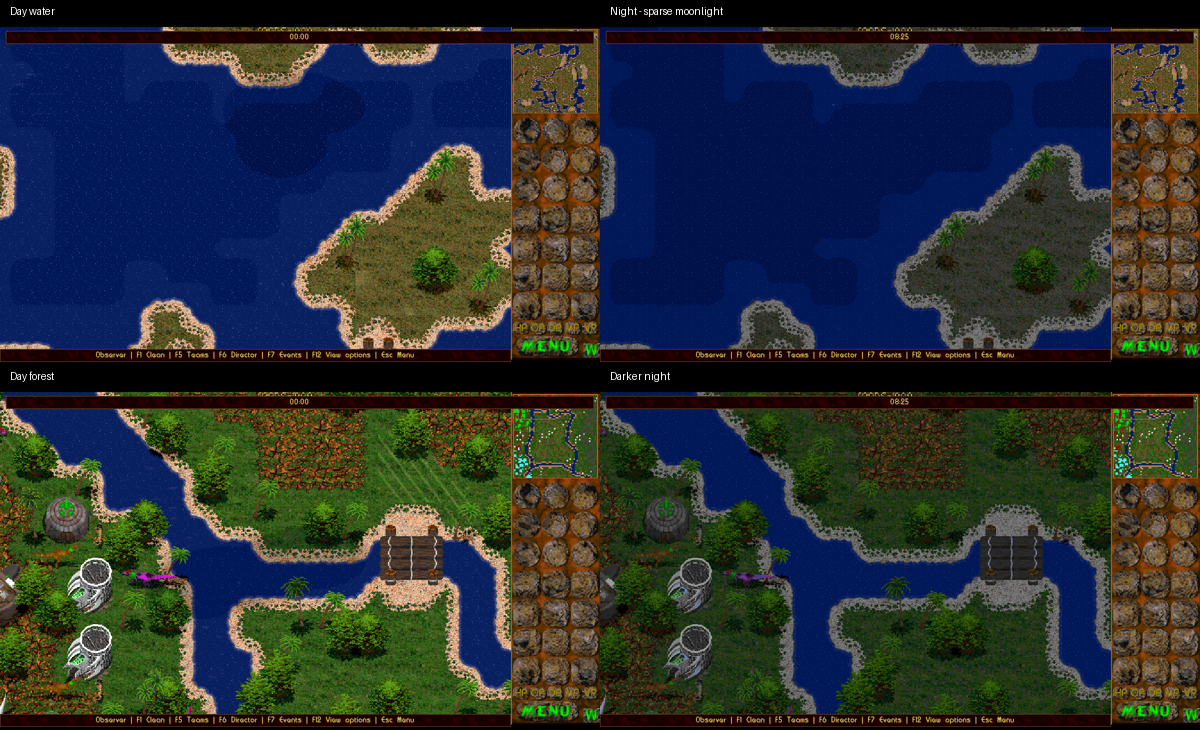
- Dynamic world adds weather, clouds, sunrays, waterfalls, water detail and passive scenery wildlife without adding gameplay units.
- Choose a day/night cycle from five to 60 game minutes; the current default duration is 15 minutes. Warm twilight, cool nights, moonlit water and saved mission time keep the world coherent.
- Weather offers Sunny or Normal conditions and adjustable passing-storm rarity, from Off to Frequent. Rain, wind and thunder follow effective weather.
- Clouds and sunrays offer Off, Static or Dynamic presentation. Advanced lighting adds rotating projected shadows, daylight contact shadows and readable night sprites.
- Luminous spell effects, Flaming Balls, Fire Arrows and lava cast restrained fog-clipped night light. Smoke, dust, poison and footstep textures remain unlit.
- Passive miniature Mammoth, Centrosaurus, Rhamphorhynchus, Horned browser and Mini Cur use neutral artwork; small ground critters flee actually moving tribe units.
- Modern fog remembers explored terrain and last-seen buildings, hides unseen movement and sounds, shares allied visibility and preserves visibility memory through saves and replays.
Original and Modern AI
Original AI remains the default. Modern AI is an optional opponent policy with bounded difficulty levels.
- Modern Easy, Normal and Hard improve scouting, reachable defense, building-site reservation, food transport, wildlife hunting, recruitment and equipment decisions while paying ordinary costs.
- Equal AI start gives Modern opponents shared starting counts and normal stats without authored prebuilt AI bases; Classic opponents retain their original setup.
- Modern defenders send bounded response groups and retain local base defense. Armory orders follow legal tribe recipes, actual equipment value, troop demand and rebuilding reserves.
- Human-controlled tribes receive human commands. Experimental strategies and campaign automation used for testing remain outside the public AI claims.
- Mission-specific Modern AI updates for Romack mission 1, Masai mission 2, and Radumba missions 2 and 3 retain ordinary paid recruitment, equipment and campaign resources.
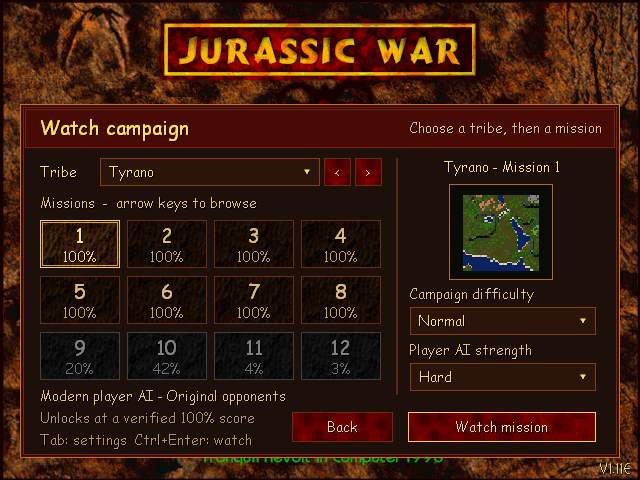
- Watch Campaign offers 24 qualified missions: Tyrano 1,3,4,5,6,7; Kanoose 1,2; Romack 1,3; Masai 1,2,4,5; Moospell 1,2,5; Koomba 1; Radumba 1–5; Koaka 1. Qualification applies to Modern Hard and Normal campaign difficulty; Original opponents retain their own orders. Scores are advisory.
- The Watch mission grid is the single mission-selection route; the separate AI test-results button was removed.
Record, watch and follow battles
The native Replay browser stays part of the game; the website adds upload-based viewing.
- Campaign, Skirmish, Classic TCP/IP, eight-player and co-op missions record locally to .jwr files. Recording ends on mission completion, retry, replacement or quitting; demonstrations and replay playback are excluded.
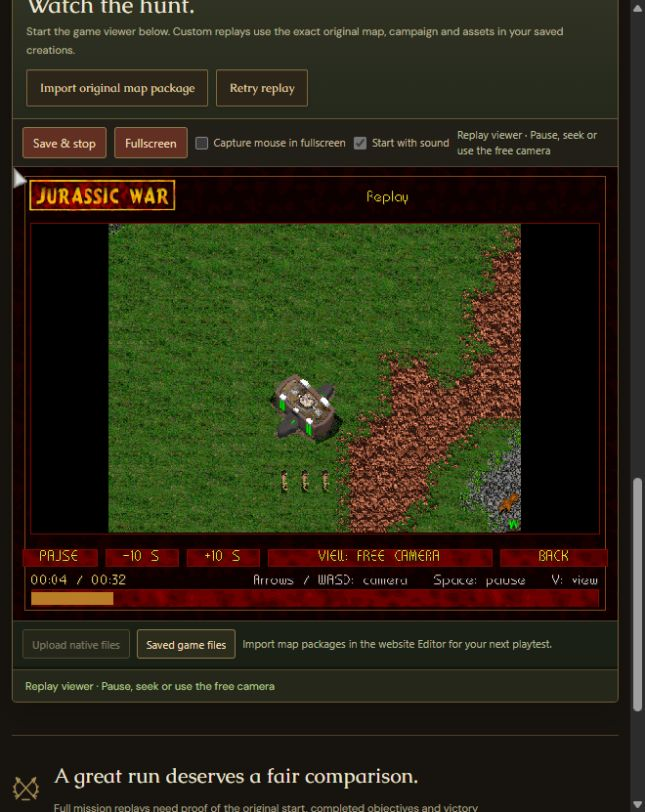
- Pause/play, ten-second jumps, timeline seeking, beginning/end and free-camera or recorded-player views are available. Player view retains the recorder's camera, selection, resources and fog.
- Spectators use host permissions, human/team visibility and free cameras. Scoreboards, battle events, statistics, bookmarks, chat and recorded spectator timelines support observing matches.
- New recordings retain their recorded fog, weather, day/night and visual renderer settings; older recordings keep supported historical appearances.
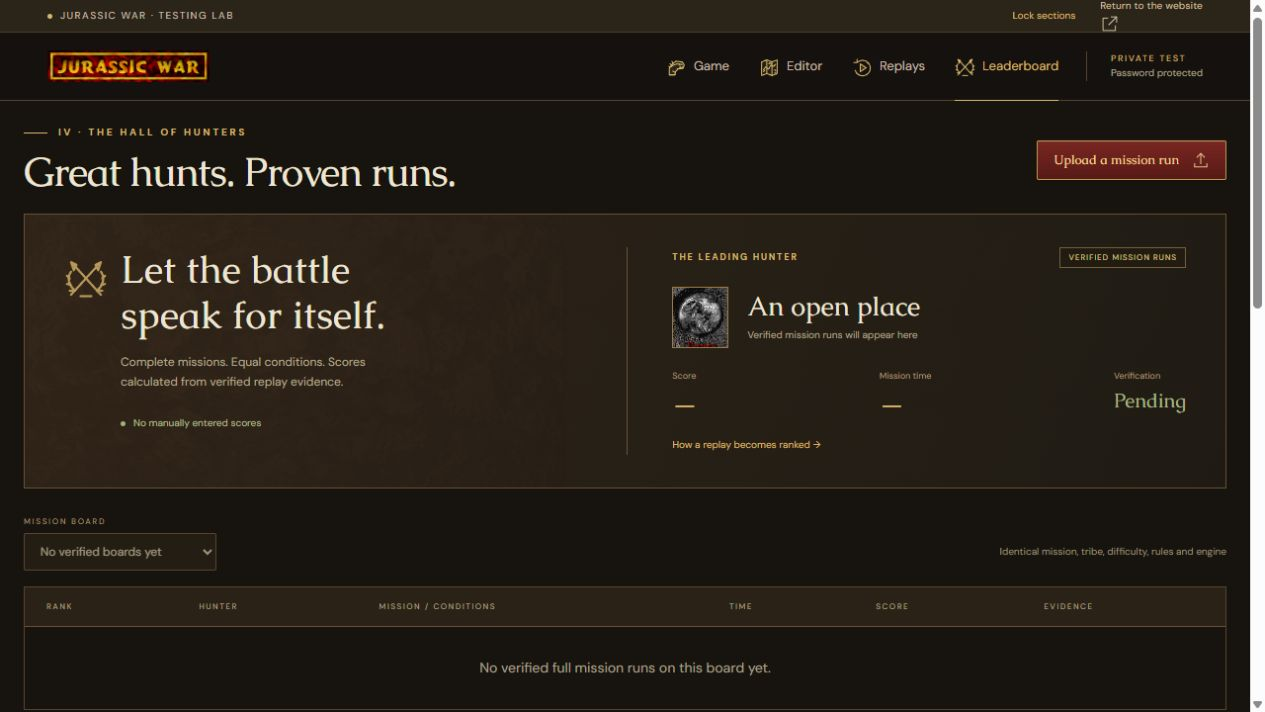
- The website replay page accepts user-uploaded .jwr files. Its mission leaderboard derives scores from eligible full-length replays and trusted validation, with no editable score field.
Safer sessions and familiar controls
The port retains the original interface while adding modern reliability and guidance.
- Autosaves, shared checkpoints, restart and campaign continuation retain their distinct purposes. Save data and modern fog sidecars travel together.
- Widescreen, tall windows and fullscreen transitions work through battle popups; menus and mouse settings retain bounded geometry.
- F1 opens a tribe-themed guide with original help pages and illustrated world, battle, multiplayer and editor tabs. Native-size picture reading supports keyboard and wheel navigation.
- English, Korean, Danish, Polish, Spanish, German, French and Simplified Chinese are available. Language packs affect presentation; matching game builds can play together across languages.
- The in-game Editor button launches the installed World Studio, then closes the desktop game only after a successful launch. Start Map Studio.cmd also works from a moved portable folder.
- The title-menu Editor button has a localized label and cleaned stone artwork.
- Watch Campaign uses an immutable sample of the original red title-wheel rim, keeping cursor/hover ink out of its frame.
- The music ribbon sizes itself to the track title and timer; its next-track hit area follows the compact layout. The browser retains its existing raster cache.
右键命令:启用 Options → Advanced → General → Modern right-click orders。左键选择,右键下达命令。经典左键命令仍为默认设置。
Options → Advanced → Keys 可设置游戏命令、镜头、编队、主机快捷键和修饰键。Save 保存修改,Cancel 放弃修改。冲突时可交换按键,也可恢复默认设置。独立远程观战窗口保留原有快捷键。
列出的快捷键为默认值。可在 Options → Advanced → Keys 中自定义 Windows 游戏按键。
World Studio 0.40.0: maps and terrain
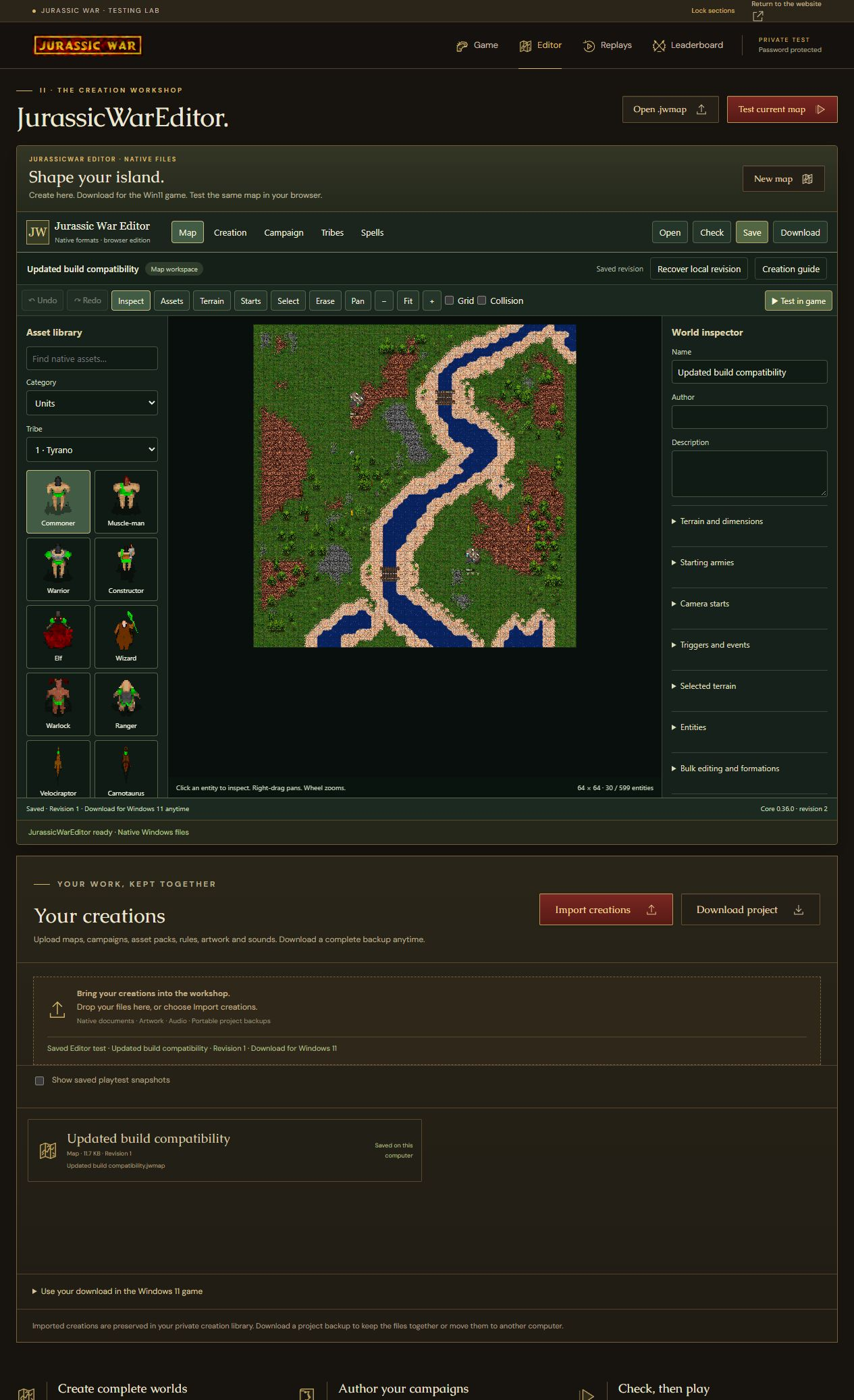
The self-contained Windows x64 editor uses the actual game artwork and native file formats.
- Create or import .jwmap files and original campaign/demo/multiplayer maps. Named saves preserve unchanged file bytes and multiplayer identity; Save As creates a separate document.
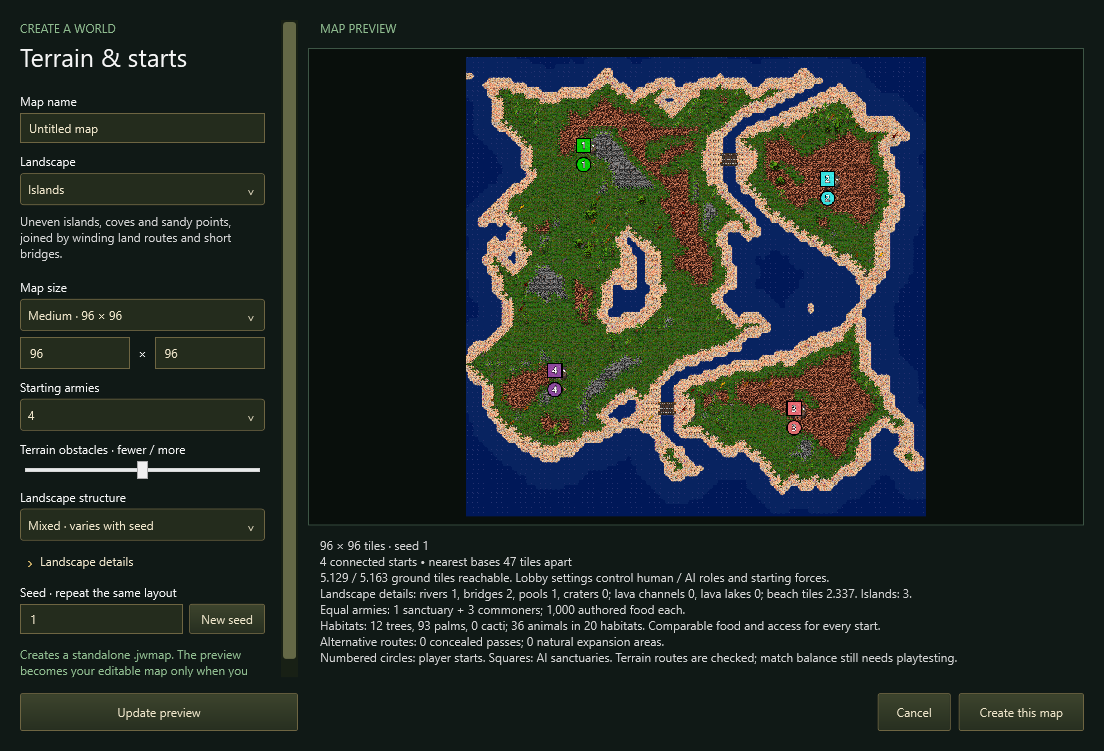
- Preview reproducible Grasslands, Mountains, Islands, Lakes, River or Volcanic Mountains maps, with Empty terrain and Mixed, Broad regions, Broken country or Long ridges layouts.
- Generation includes joined shores, shallow/deep water, winding rivers, short bridges, lava, cliffs, groves, routes, equal starting cores and optional flank passes/expansion spaces. Reachability checks do not replace competitive playtesting.
- Use a searchable thumbnail gallery, terrain-family filters, Favorites, Recent and Used-on-map lists. Inspect, Assets, Terrain and Starts expose focused tools.
- Move whole starting armies, player cameras and AI bases; edit authored food, add/remove tribes and check starts/routes. Every committed edit supports Undo.
- Zoom toward the pointer, pan, fit the map, focus the canvas, resize panels and navigate from the live minimap. The inspector shows equipment, inventory, stats and exact entity identity.
- Selection, copy/cut/paste, stamps, bulk stats, formations, terrain painting and resizing retain custom variants, constructor outputs, carried food and bounded wildlife roaming.
Create units, buildings, wildlife and sounds
Independent assets coexist with originals and use existing behavior families.
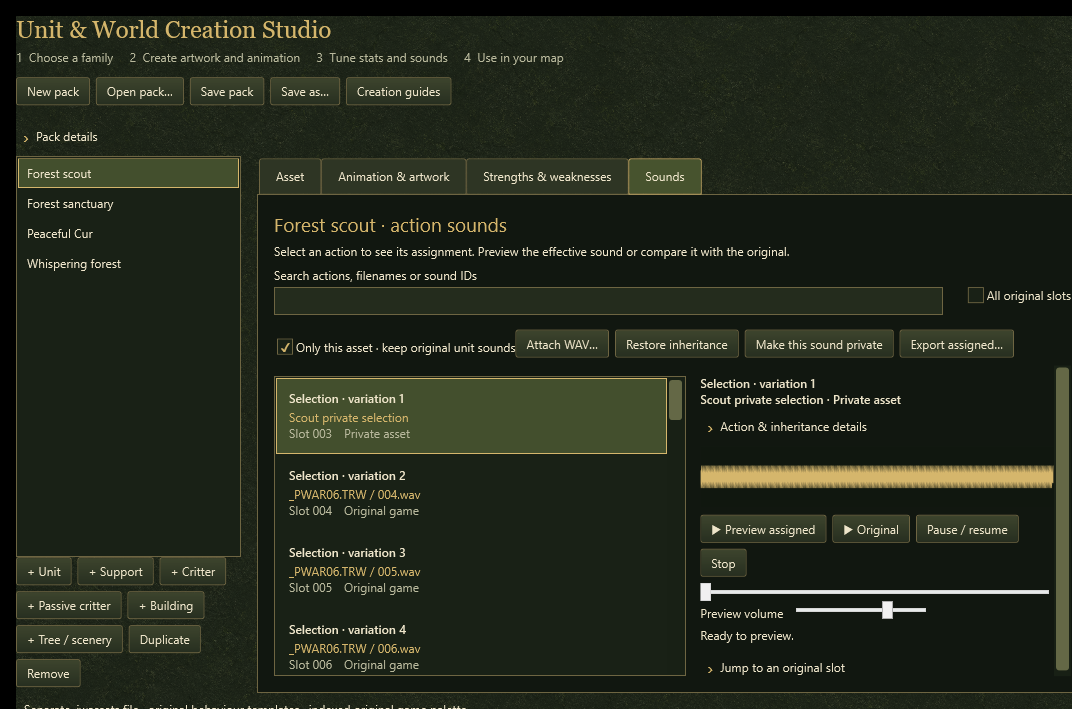
- Create separate .jwassets packs for independent units, critters, buildings and scenery. Customize names, effective stats, tribe identity, collision and supported combat affinities without modifying retail archives.
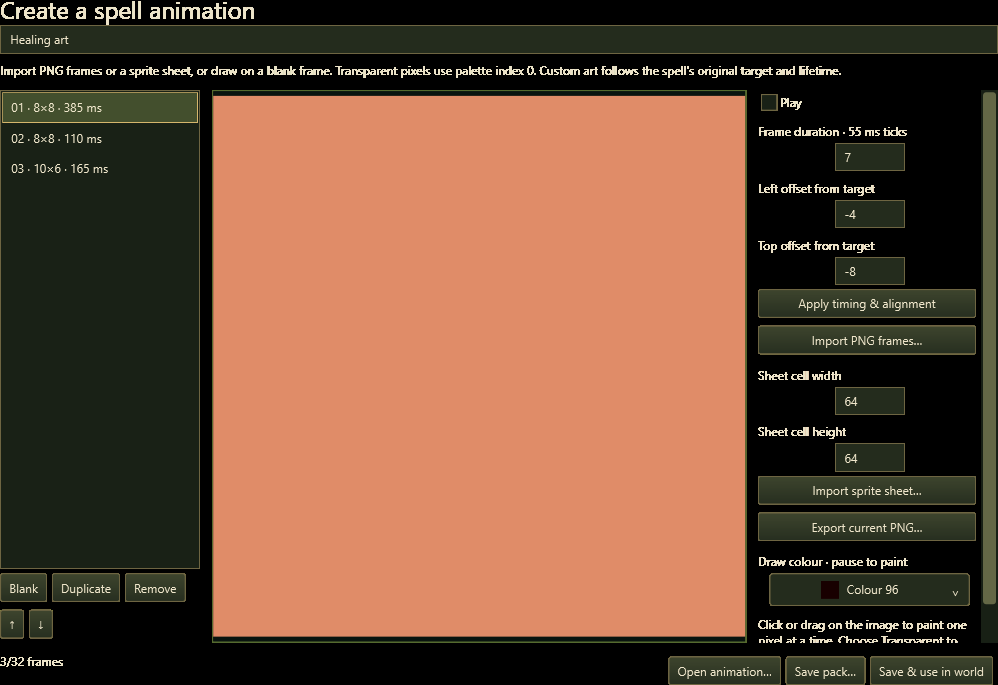
- Import PNG frames or sprite sheets, export native template sheets, paint palette pixels and edit pose/frame order, timing, offsets and animation previews.
- Import PCM WAV sounds for individual asset actions or deliberately shared world slots. New independent sounds default to private scope; existing shared sounds can be moved with Make this sound private.
- Link custom construction and training outputs through original recipes. Equipment, movement, progression, costs, footprint and combat timing remain tied to their original template.
- Attach exact asset packs to maps and campaigns, inspect dependencies, install validated creations and export portable ZIPs. Missing or changed dependencies remain visible for repair.
- Combat Studio previews damage, shields, supplies and transitions and offers an original-game database; its illustrative fight preview is distinct from real-time native gameplay.
导入 128 × 128 精灵图单元时,四个对齐值默认均为 −48。这些值调整图像位置,碰撞尺寸仍单独设置。
生产按钮显示自定义产出单位的名称和 Production icon。在该单位的属性中导入图标;未提供图标时使用自制单位图像。
支持的自定义单位和建筑可设置 Food cost,生产建筑还可覆盖 Produced unit cost。输入 1–65,535 食物或留空继承原价。建造、招募、AI 购买和取消退款均使用这些价格。
自定义图像使用现有行为和生产类型。Tyrannosaurus 图像可采用兼容的可玩类型,但任意野生动物行为不会因此成为可训练单位。
Spell, tribe and event authoring
World rules use the original sixteen effect slots and eight tribe slots.
- Spell Studio edits supported mana costs, maximum-MP unlock thresholds and power values. Original and attached custom animation previews include pause and frame scrubbing.
- The spell animation workshop supports PNG sequences, sprite sheets, palette painting, frame editing, timing and alignment. Saved .jwassets animations attach to the world and keep original spell behavior.
- Tribe Studio edits names, food, RGB colors, independent unit/building rosters, original caster availability and supported specialist training buildings. Reusable .jwrules libraries preserve rule values separately from artwork packs.
- Scripted events separate WHEN conditions from THEN actions, with search, summaries, action ordering, duplication, timed events and valid draft persistence. Native limits remain 32 events and four ordered actions per event.
- Camera, sound and spawn actions, discovery/building-count/timer conditions and campaign weather changes support authored missions. Weather can return to the normal world cycle.
- RevealFog shows the selected area, including enemies, permanently or for one to 86,400 game seconds before returning to live fog. Timed reveals use map format eight and work in the updated Windows and browser editions.
- Custom spell types, arbitrary engine classes, extra player slots and direct sanctuary recruitment of arbitrary new specialists are unsupported.
- Optional solo Active relics applies carried original relic effects without rewriting base trained stats. It is excluded from network matches, replay and ranked verification.
Build a campaign with guided tools
Campaign, map and creation workspaces stay available together.
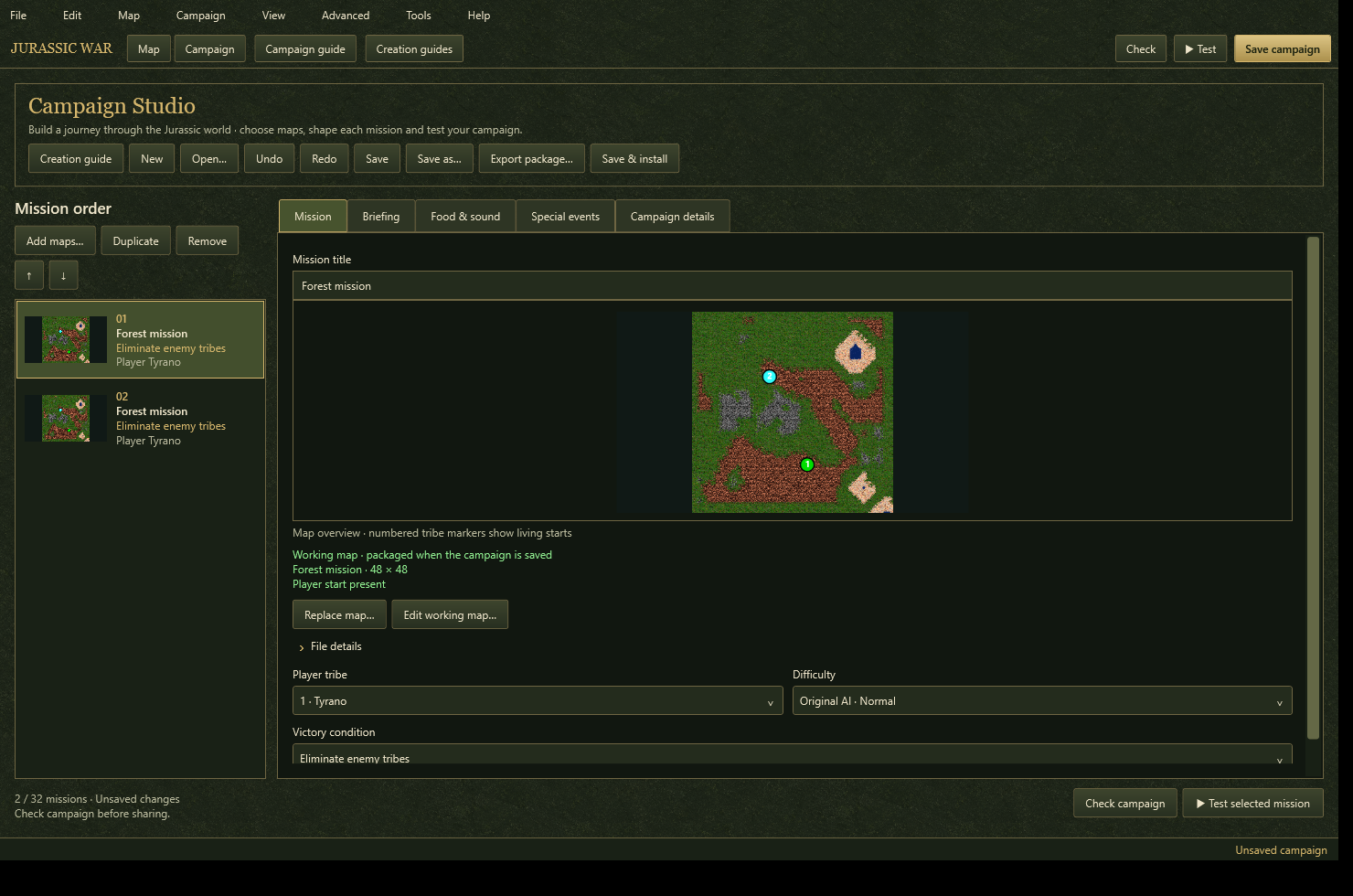
- Campaign Studio manages one to 32 missions, ordered progression, briefings, original objective families, authored resources, food overrides, weather and sound dependencies.
- Repair packaged maps, edit independent working copies and save exact dependencies without overwriting the original source. Save & install and portable export carry required maps and packs.
- Campaign creation guide opens details, maps, armies, objectives, briefings, resources, events, spells, checks, playtests and packaging. Per-mission reviews become pending when relevant content changes.
- Creation guides cover units, buildings, wildlife/scenery, tiles/terrain, maps, spells/animations, tribes and scripted events, opening real controls and previews with separate recorded authoring reviews.
- Playtest latest unsaved edits directly inside the desktop editor with the embedded native game, separate test saves and the chosen tribe/difficulty. One-tribe maps use survival sessions to avoid instant victory.
- Periodic map/campaign recovery, temporary named checkpoints, Undo and Save As protect authoring. Savegame import creates a separate map snapshot, retaining known custom dependencies and authored live state.
- Custom campaign branching, original executable scripts, carry-over armies and custom cutscenes are unsupported. Desktop custom-campaign co-op is available through the host lobby; older editor documentation describing it as unsupported predates the native integration.
Play, create and share on the website
The browser workshop is a separate tested edition; its access mode is shown in the lab.
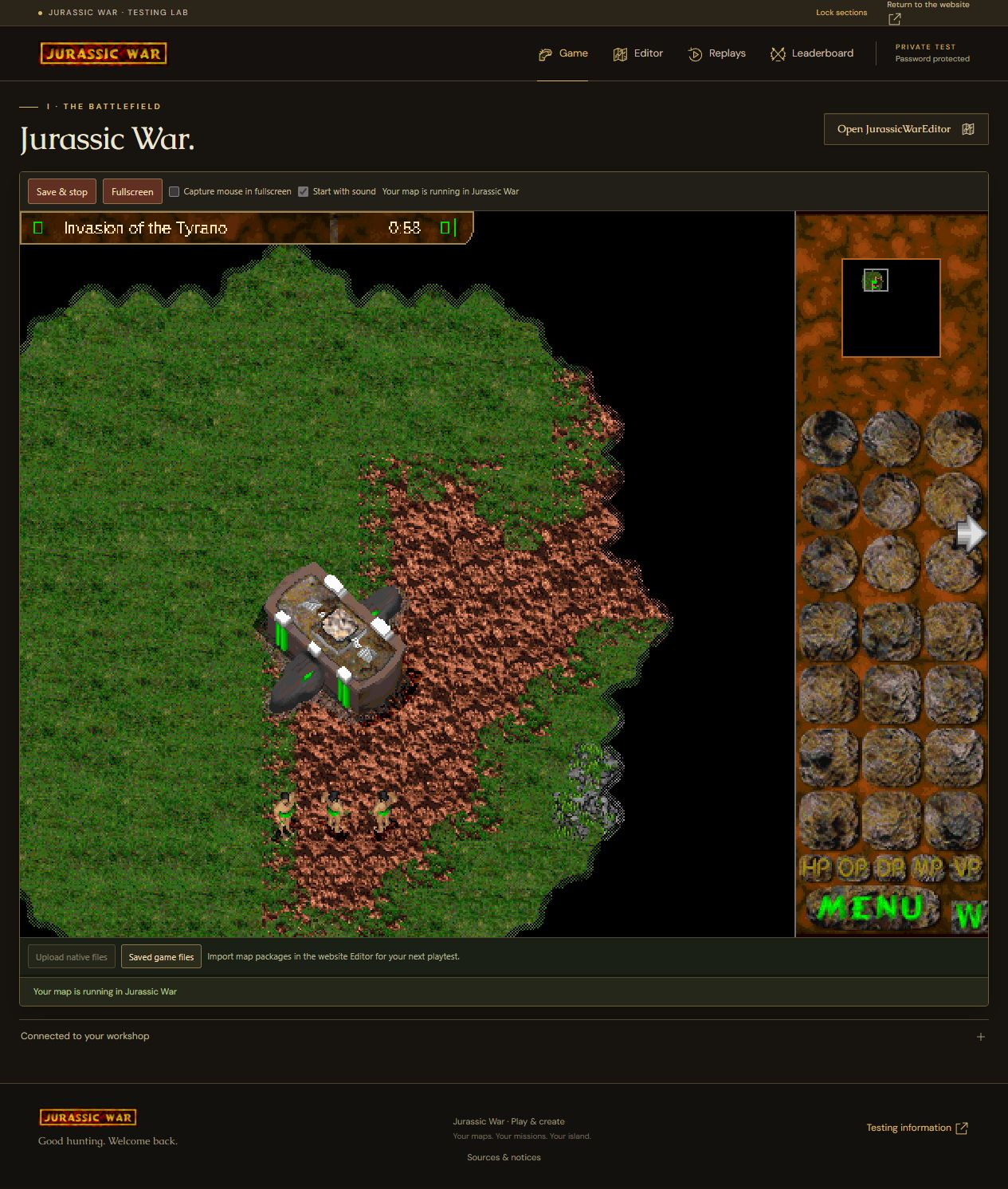
- Browser game loading shows visible progress inside a canvas that fills the play area. Clear 44.1 kHz stereo audio is retained.
- Open the website editor from the in-game button, release captured input and stop the game before editing. The ordinary in-game Replay browser remains available.
- Upload personal .jwmap, .jwassets and .jwcampaign designs; create native documents; download originals and portable project backups; test map edits directly in the browser game.
- Recover local drafts and preserve verified server revisions. Locking waits for native shutdown and durable editor checkpoints, with correction/retry messages if work cannot be saved.
- Replay uploads and trusted full-mission comparisons have their own streamlined sections. Ranked scope and verification requirements are shown explicitly; submitted names do not determine scores.
- The website ordinary game now uses native build 1.12.17.0 and the editor uses the World Studio 0.36.0 Core, supporting native map versions 1–9, including timed fog and explicit asset detachment. The WPF desktop interface remains separate.
- The established 44.1 kHz audio, normal 55 ms browser pacing, pointer release, graceful native close, saved creation recovery, native downloads and uploadable project backups are preserved. Existing ranked recording retains its separately verified engine and scope.
Current limits and unfinished gameplay acceptance
- The Rhamph fleeing blink on original End of Hell, Skirmish, Modern Easy, fog Off remains unresolved.
- Ranger Resuscitation authoring and native availability exist; actual casting onto a corpse still needs manual gameplay acceptance.
- Custom campaign branching, carry-over armies and cutscenes are unsupported.
- The Combat Studio preview does not replace the full real-time engine.
浏览器工作室
打开测试区 The browser game, editor, uploads and leaderboard are in the browser workshop. In public mode no password is needed; saved creations stay private to each browser.