
录像回放
录像回放
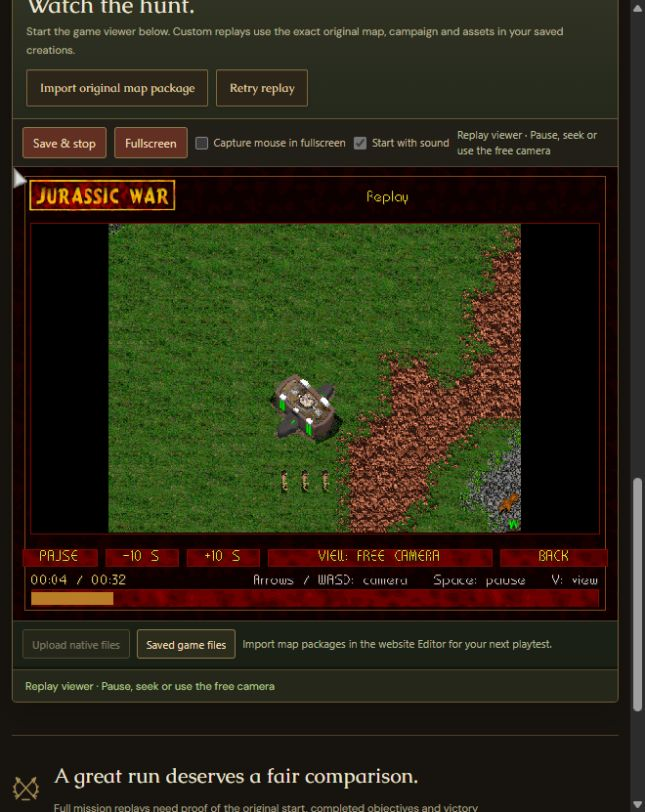
上传自己的录像并在 Jurassic War 中观看。通过游戏的正常回放工具暂停、跳转并再次探索战场。
Windows · v1.11G · World Studio 40 / 0.40.0
v1.11G:更鲜活的世界,更安全的创作
回放定位更快;战役录像按顺序分为会话片段,可导出/导入经过验证的内容包。多人游戏等待时减少 CPU 使用,并改进内容传输重试。
大型地图加载、战役天气编辑和动画预览减少重复工作。更多文件验证在后台运行,改善界面响应。加强存档验证、草稿保护和自定义内容检查。
所有在线玩家和观战者必须使用完全相同的游戏构建和自定义内容。Windows 游戏为 v1.11G / 1.12.34.0,World Studio 为 40 / 0.40.0。独立浏览器实验室仍为游戏 1.12.17.0 / 编辑器 Core 0.36.0。
详细版本信息以英语提供。
Your recording, the normal viewer
- Choose a .jwr recording from your computer. The website checks its format and shows a receipt before opening the normal in-game replay viewer.
- Uploaded .jwr recordings are for watching. They are unranked and cannot supply leaderboard scores.
- Use the viewer’s normal playback controls to pause, seek and change camera. The replay library inside the game retains its normal behavior.
- A replay is a recording, not a resumable save. Clips retain the view that was recorded; they are not interchangeable with verified full-mission bundles.
- The recorded build and content must be supported. The website reports an unsupported or damaged file instead of treating it as a valid score.
浏览器工作室
打开测试区 The browser game, editor, uploads and leaderboard are in the browser workshop. In public mode no password is needed; saved creations stay private to each browser.